
Check your device output
Make sure your device supports USB-C video output with DisplayPort Alt Mode before you connect the glasses.
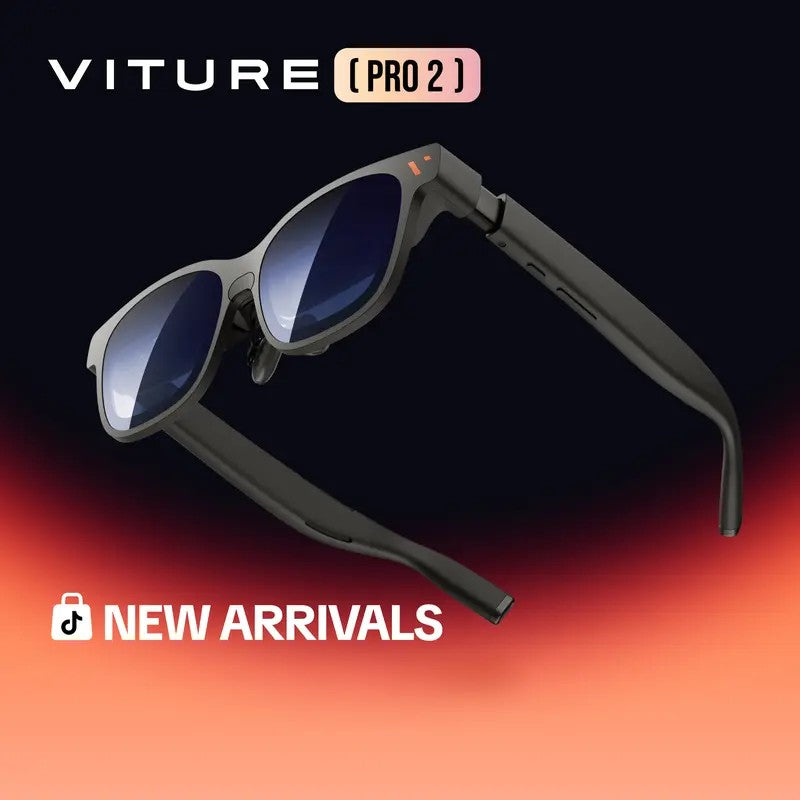
Get a private big-screen view from your compatible phone, laptop, or handheld.
Secure checkout - Tracking number provided
VITURE Pro 2 XR Glasses work as a wearable display for compatible phones, tablets, laptops, and handheld gaming devices. They require USB-C video output with DisplayPort Alt Mode for direct connection, while Switch, consoles, and other HDMI devices need the VITURE Pro Mobile Dock.
When a phone, tablet, or handheld screen feels too small, VITURE Pro 2 gives you a larger personal display from the device you already use. For compatible USB-C video devices, setup stays simple, and the built-in diopter adjustment and included nose pads help you fine-tune the view and fit.
What's included:
VITURE Pro 2 XR Glasses x1
Lens Shade x1
Nose Pads x3
USB-C to USB-C Cable x1
Glasses Case x1
Glasses Cloth x1
User Guide x2
Safety Guidelines x1
Display: 146-inch virtual display
Field of view: 50° FOV
Brightness: 1600 nits
Display type: Micro-OLED
Weight: 63g
Built-in diopter: 0 to -5.00D
Nose pad adjustment: 7 positions
Cable length: 1.2m
Eye care feature: Blue light filter
Direct connection support listed for:
iPhone 17 / 16 / 15 series (USB-C models only)
Compatible Android phones with DP Alt Mode
Compatible USB-C iPads
MacBook / PC laptops with USB-C video output
Steam Deck / ROG Ally / Legion Go
Not compatible with:
Charging/data-only USB-C ports
USB-C XR Charging Adapter for iPhone (17/16/15 Series)
iPhone 17e, 16e, iPhone Air
Accessory required for:
Switch / Switch 2
PS5 / Xbox
Fire TV Stick and other HDMI devices
Requires VITURE Pro Mobile Dock
Shipping options are shown at checkout. See our shipping and return policies for details.
1. Check that your device supports USB-C video output with DisplayPort Alt Mode. Charging-only or data-only USB-C ports are not supported.
2. Connect the glasses with the included USB-C to USB-C cable if you are using a listed compatible direct-connect device.
3. If you want to use Switch, Switch 2, PS5, Xbox, Fire TV Stick, or another HDMI device, connect through the VITURE Pro Mobile Dock.
4. Adjust the nose pads and built-in diopter to tune the fit and view.
5. Open and control apps from your connected device, since the glasses function as a display device.

If your phone, tablet, or handheld screen feels limiting, VITURE Pro 2 gives you a wearable display instead of making you carry a separate monitor. With listed compatible devices, it turns the gear you already use into a larger, more personal viewing or gaming setup.
Get VITURE Pro 2 ↗
These glasses are a display device, so the connection type decides whether they will work. VITURE Pro 2 requires USB-C video output with DisplayPort Alt Mode for direct connection. Charging-only or data-only USB-C ports are not supported, and Switch, PS5, Xbox, Fire TV Stick, and other HDMI devices need the VITURE Pro Mobile Dock.
Get VITURE Pro 2 ↗
VITURE Pro 2 combines a wearable design with built-in ways to tune comfort and viewing. The listed specs include a 146-inch virtual display, 50° field of view, 1600 nits brightness, and a Micro-OLED display. Built-in 0 to -5.00D diopter adjustment helps you fine-tune the view, while three nose pads with seven adjustable positions help you dial in the fit. At 63g, the glasses are also easier to carry with the included case and cable.
Get VITURE Pro 2 ↗Make sure your device supports USB-C video output with DisplayPort Alt Mode before you connect the glasses.
Connect directly with the included USB-C cable for listed compatible devices, or use the VITURE Pro Mobile Dock for Switch, consoles, and other HDMI devices.
Select the nose pad position that fits you best and adjust the built-in diopter before you start watching or playing.
VITURE Pro 2 XR Glasses work as a wearable display for compatible phones, tablets, laptops, and handheld gaming devices. They require USB-C video output with DisplayPort Alt Mode for direct connection, while Switch, consoles, and other HDMI devices need the VITURE Pro Mobile Dock.
What's included:
VITURE Pro 2 XR Glasses x1
Lens Shade x1
Nose Pads x3
USB-C to USB-C Cable x1
Glasses Case x1
Glasses Cloth x1
User Guide x2
Safety Guidelines x1
Display: 146-inch virtual display
Field of view: 50° FOV
Brightness: 1600 nits
Display type: Micro-OLED
Weight: 63g
Built-in diopter: 0 to -5.00D
Nose pad adjustment: 7 positions
Cable length: 1.2m
Eye care feature: Blue light filter
Direct connection support listed for:
iPhone 17 / 16 / 15 series (USB-C models only)
Compatible Android phones with DP Alt Mode
Compatible USB-C iPads
MacBook / PC laptops with USB-C video output
Steam Deck / ROG Ally / Legion Go
Not compatible with:
Charging/data-only USB-C ports
USB-C XR Charging Adapter for iPhone (17/16/15 Series)
iPhone 17e, 16e, iPhone Air
Accessory required for:
Switch / Switch 2
PS5 / Xbox
Fire TV Stick and other HDMI devices
Requires VITURE Pro Mobile Dock
Shipping options are shown at checkout. See our shipping and return policies for details.
Not satisfied for any reason? Return it within 30 days for your money back. No questions asked.
Our friendly customer service team is here to help 24/7. Before you buy or after it arrives, you're always welcome to reach out.